

Turn any imageinto embroidery.
Drop in a picture. Click once. Send a proof. Stitch it out.
PiperStitch turns artwork into a high-quality, sewable embroidery file, right in your browser — Mac, Windows, Chromebook, iPad or phone, nothing to install. It makes the decisions an experienced digitizer would — stitch type, underlay, density, compensation, sew order — in seconds, hands you the controls to fine-tune anything, and then sends whoever it’s for a proof of the real stitches to approve from their phone.
Fast · Easy · Affordable · Approved before you hoop
- Works in any browser — laptop, iPad or phone, nothing to install
- Exports DST, PES, JEF, EXP and VP3
- Realistic stitch preview
- $24/month, cancel any time
- Proofs add-on: three included, then $24/month
 PiperStitchleaf-logo.png
Free trial · 12 days left
PiperStitchleaf-logo.png
Free trial · 12 days left
Selected object Leaf
Finished size
Hoop
In a minute
See what it does.
Fifty seconds, no sign-up. Prefer the longer version? Watch the full introduction.
Real results
Real artwork. Real sew-outs.
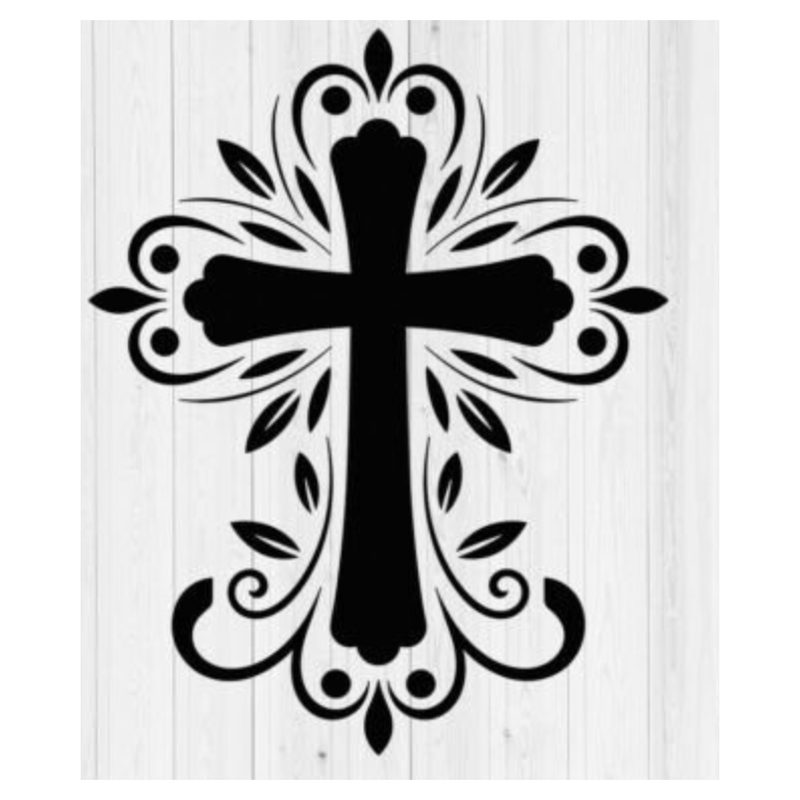
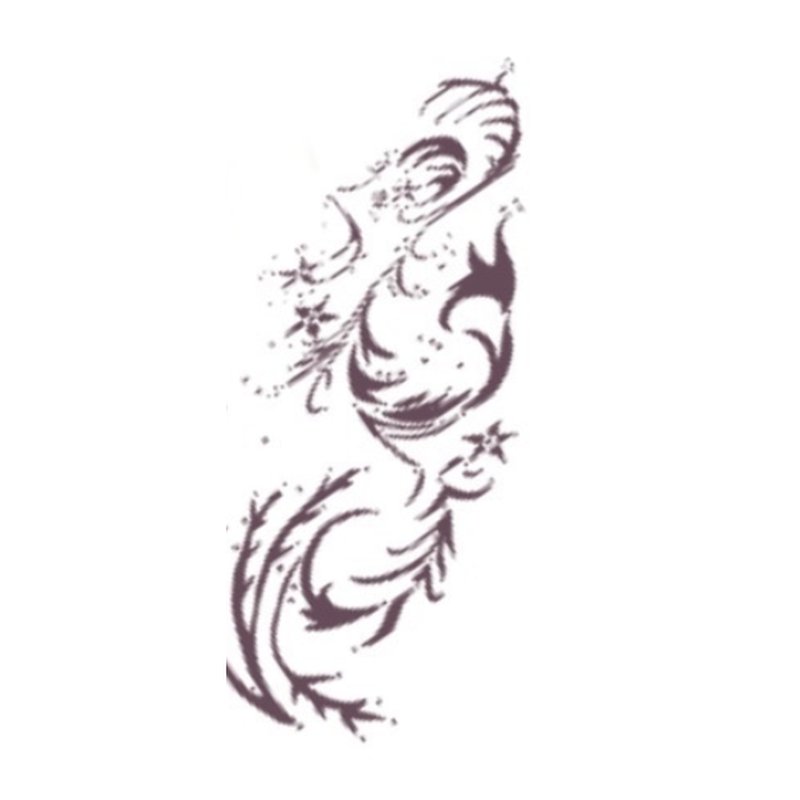
The original image, and a photo of the PiperStitch file stitched out on a real machine.
Preview: visitors can’t see this section yet. Placeholders show here only because of ?results_preview=1.
-
Original artwork
 Stitched result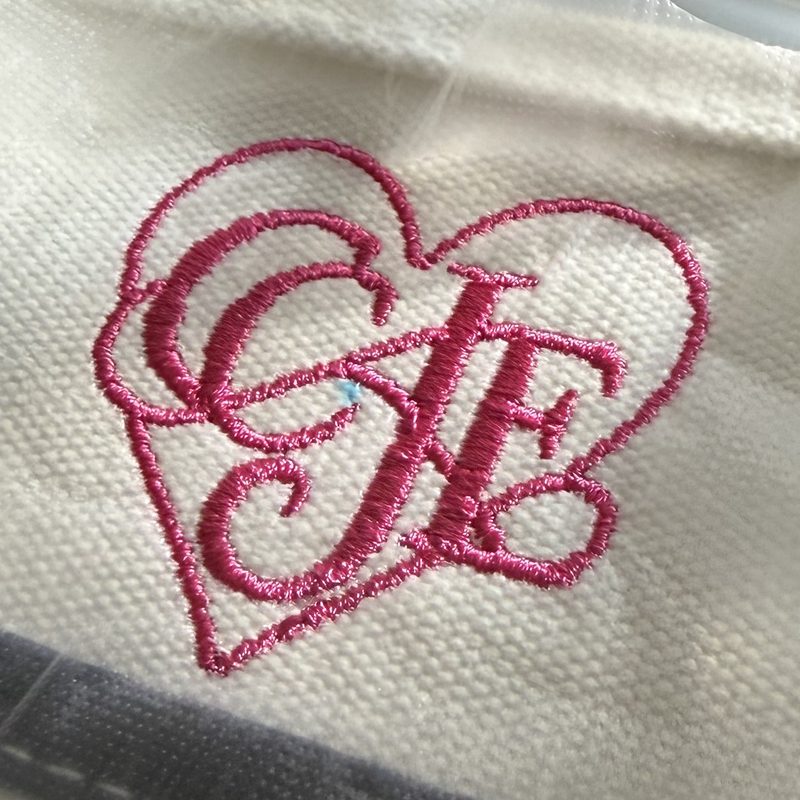
Heart monogram · canvas tote -
Original artwork
 Stitched result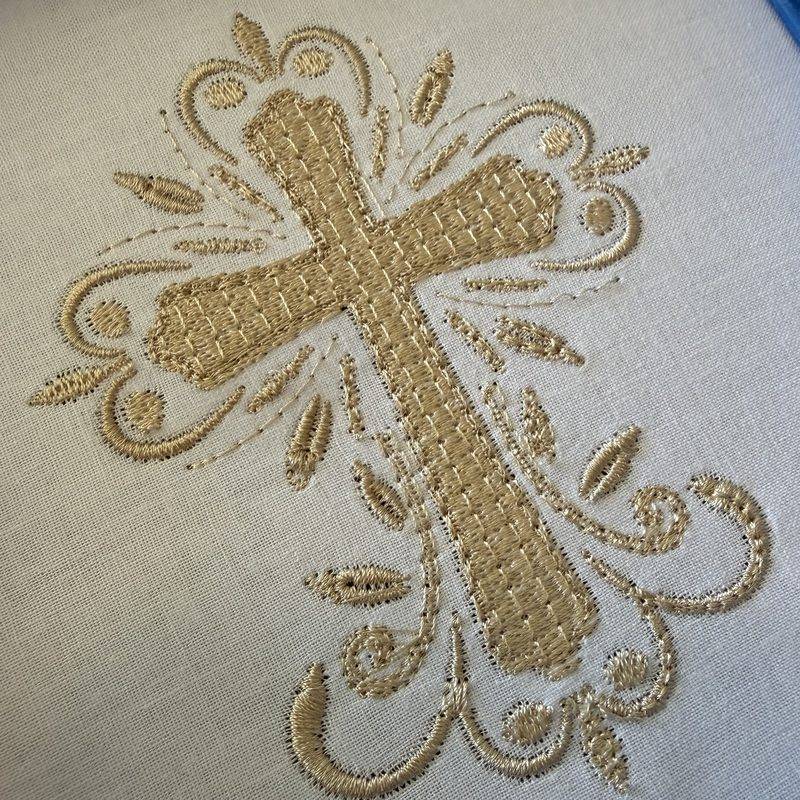
Decorative cross · cotton -
Original artwork
 Stitched result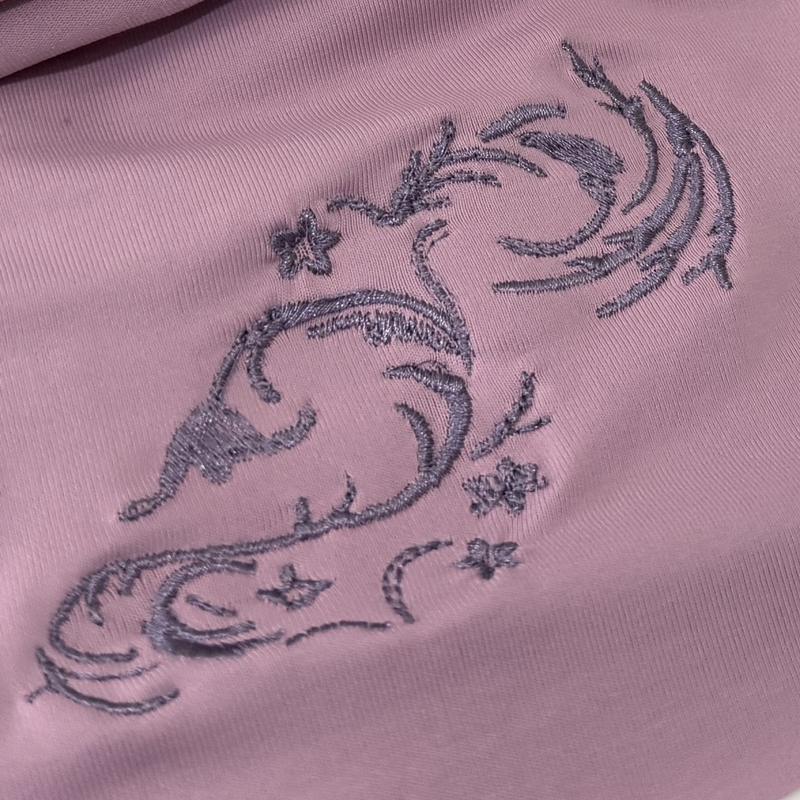
Swirl motif · knit top -
Original artworkPhoto coming soonStitched resultPhoto coming soon
[Pair 4: design name · garment · stitch count]


[Customer quote 1]
[Customer quote 2]
The difference
Not a tracer. A digitizer.
Most “auto-convert” tools turn pixels into stitches and leave you with a design that puckers, gaps, and looks nothing like the picture. PiperStitch works the way an experienced human digitizer does — the person a shop would pay to hand-build the design: it breaks your artwork into objects, picks the right stitch technique for each one, adds underlay and compensation, orders the sew-out, simulates the result — and then audits it for real embroidery problems before you ever thread a needle.
And it isn’t AI guessing, either. PiperStitch is a rules-based digitizer: every decision follows the same embroidery rules a professional learns — minimum satin width, density for the fabric, underlay for the stitch type, pull compensation for the direction of travel. The same artwork gives the same file every time, every choice is shown to you with the reason, and nothing you upload is used to train anything.
Then send it to whoever it’s for
Sewing for someone else? Send a proof first.
The job doesn’t end at the file — it stalls in the days between “can you do this?” and “yes, go ahead.” PiperStitch Proofs closes that gap: one link, opened on their phone, showing exactly what will come off the machine. They tap Approve — or tell you the blue is wrong — before you’ve hooped anything. And because PiperStitch digitized it, the proof is the stitch file, not a picture drawn beside it.
One link collects the job
The intake link gathers the artwork and the answers — what garment, what size, where — in one go instead of eleven texts. A readiness report tells you the logo has 3 mm text before you spend the evening on it.
Approved from a parking lot
They see the real stitches, the thread colours, the size on the garment, and approve in ten seconds — no account, no app. Every email along the way — the request, the proof, the reminders, the confirmation — is written and sent for you under your name, and every reply lands in your own inbox. End-to-end, nothing to set up.
Proof of what they said yes to
Approval is tied to that version on that garment at that size — change any of it and PiperStitch asks again. A Certificate of Approval records who, when and exactly what, for the day someone says “that’s not what I picked.”
Getting started
Set up for your shop in about seven minutes.
There is no platform to learn. The first time you sign in, a short guided setup asks the questions a digitizer would ask on day one — your machine, the hoops you own, the threads on your shelf, the fabrics you sew most, your business name and how customers reach you — and configures PiperStitch and Proofs from the answers. Hoop pickers show your hoops. Thread matching uses your brand. Proofs go out under your name. Nothing is asked twice.
In a hurry? Skip it and start digitizing straight away; the setup waits in Settings for whenever you have seven minutes.
- Machine, hoops, thread library and file format, pre-set
- Business details and reply-to address carried into Proofs
- The three things worth knowing before your first sew-out
Which hoops do you have?
Pre-ticked from your Brother; correct anything we got wrong.
Your time back
Minutes, not days. Digitizing is in your hands.
Sending a design out to be digitized typically means a per-design fee and a wait of a day or more — then another round if you want a change. Learning to do it by hand in traditional software takes months, and an evening per design. PiperStitch puts a digitizer in your browser: open the artwork, click, and you’re hooping up before the kettle boils. Change your mind about the size, the fabric, or a colour, and the file regenerates in seconds. Try a design three ways before lunch.
No queue, no turnaround
A customer walks in with a logo at 2pm and walks out with the stitched sample at 3. Quotes, rush jobs and one-offs stop being a scheduling problem.
Try it, tweak it, try again
Every edit re-digitizes on the spot. Resize, swap the fabric, merge two colours, and the preview and readiness score update while you watch — no re-sending, no re-paying.
Flat monthly price
Fifty designs cost the same as five. If you sell embroidery, that changes which jobs are worth taking; if you sew for the love of it, every idea gets tried.
Why PiperStitch
Professional results. None of the learning curve.
One click, start to finish
Open a PNG, JPEG or SVG, set the finished size, and click Create Embroidery File. Segmentation, stitch selection, underlay, sequencing and export happen in seconds — what used to be an evening, or a wait for someone else’s schedule.
No digitizing degree required
You choose the fabric, the hoop and the size in plain words. PiperStitch decides between satin, tatami fill and running stitch per object, and tells you in plain English if something won't sew well.
$24 a month, not thousands up front
Professional digitizing software costs as much as a machine. PiperStitch is a simple monthly subscription you can cancel any time — and the files you export are yours forever.
How it works
Six steps. PiperStitch handles the hard ones.
Open your artwork
Drag in a logo, a drawing, a photo of a sketch — PNG, JPEG, or SVG. PiperStitch separates it into colors and shapes and recommends a finished size based on the finest detail it finds.
Say where it's going
Pick the hoop, the fabric (twill, pique, fleece, stretch knit, terry…) and the finished size in centimeters. PiperStitch matches compensation and underlay to the fabric.
Click Create Embroidery File
Each object gets the stitch type a digitizer would choose, with underlay, pull compensation, curvature-aware satin density and hidden travel routing. Lettering is generated from real fonts, not traced.
Check the preview
A realistic stitch simulation and an Embroidery Readiness report show you exactly what the machine will do — and flag anything that won’t sew well before you find out on fabric.
Send the proof Proofs
Sewing it for someone? Click Send to Proofs. The proof builds itself from the real stitch file — the render, the thread stops, the size on the garment — and goes out as one link they open on their phone.
Export and sew when they say yes
Approval unlocks the run ticket and writes the certificate. Export DST, PES, JEF, EXP or VP3 and load it on your machine — or skip the proof and export straight away when it’s for you.
Does the work · leaves you in control
It decides. You get the final say.
PiperStitch chooses the stitch type, density, underlay, compensation and sew order for every shape — and then shows you every one of those decisions, ready to change. Real digitizing tools, not a black box: switch a shape from fill to satin, turn the fill angle, tighten the density, reorder the sequence, merge or paint shapes, place lettering in any font, pick threads from your machine’s own palette. The realistic preview and the readiness score follow every move, so you can dial the file in to exactly what you intend before a single stitch is sewn.
- Per-object stitch type, density, underlay, angle and compensation
- Merge, paint, erase, move and resize directly on the canvas
- Sew-order control, thread palettes, project save and undo
Formats
Speaks your machine's language.
Exports the formats home and commercial machines actually read, with the right thread palettes and color-change commands for each.
Pricing
$24 a month. Proofs another $24. Try both free first.
Sign in with your email and use everything for 14 days — no card, nothing to download — and send three proofs on us. If it earns its keep, subscribe for $24 a month from inside the app, and add Proofs for another $24 when you’re sending more than the three. Both renew automatically, cancel with one click, and every file you’ve exported and every approval you’ve captured stays yours whether or not you’re subscribed.
Where this is going
A complete business suite for the embroiderer.
One account, one bill, one place: PiperStitch digitizes, Proofs gets the yes, and the next piece — PiperStitch Clients — keeps the paperwork: the people you sew for, what they ordered, the quote, the deposit, the reorder that’s exactly like last time. It’s being built on the same account, so the contacts you collect in Proofs will simply be there when it arrives. No promises on dates; if you’d like to hear first, tell us.
Try it on your own artwork.
Free for 14 days, right in your browser, with three proofs to send. No card, nothing to install. Then $24 a month, cancel any time.
Get Piper
Piper on your Dock. PiperStitch one click away.
PiperStitch installs like an app: an icon in your Dock, taskbar or home screen that opens it in its own window — no browser tabs to hunt through, always the latest version, nothing to update.
- Chrome, Edge or Android: open PiperStitch and click Install when it offers (or the install icon at the end of the address bar).
- Safari on a Mac: open PiperStitch, then File → Add to Dock…
- iPhone or iPad: open PiperStitch in Safari, tap Share, then Add to Home Screen.
The shortcut is a tiny file you can keep on your desktop; double-click it to open PiperStitch. It uses a generic icon — the install route above gives you Piper itself.